Screen Print, Digital Print, or Heat Transfer for Umbrella Branding
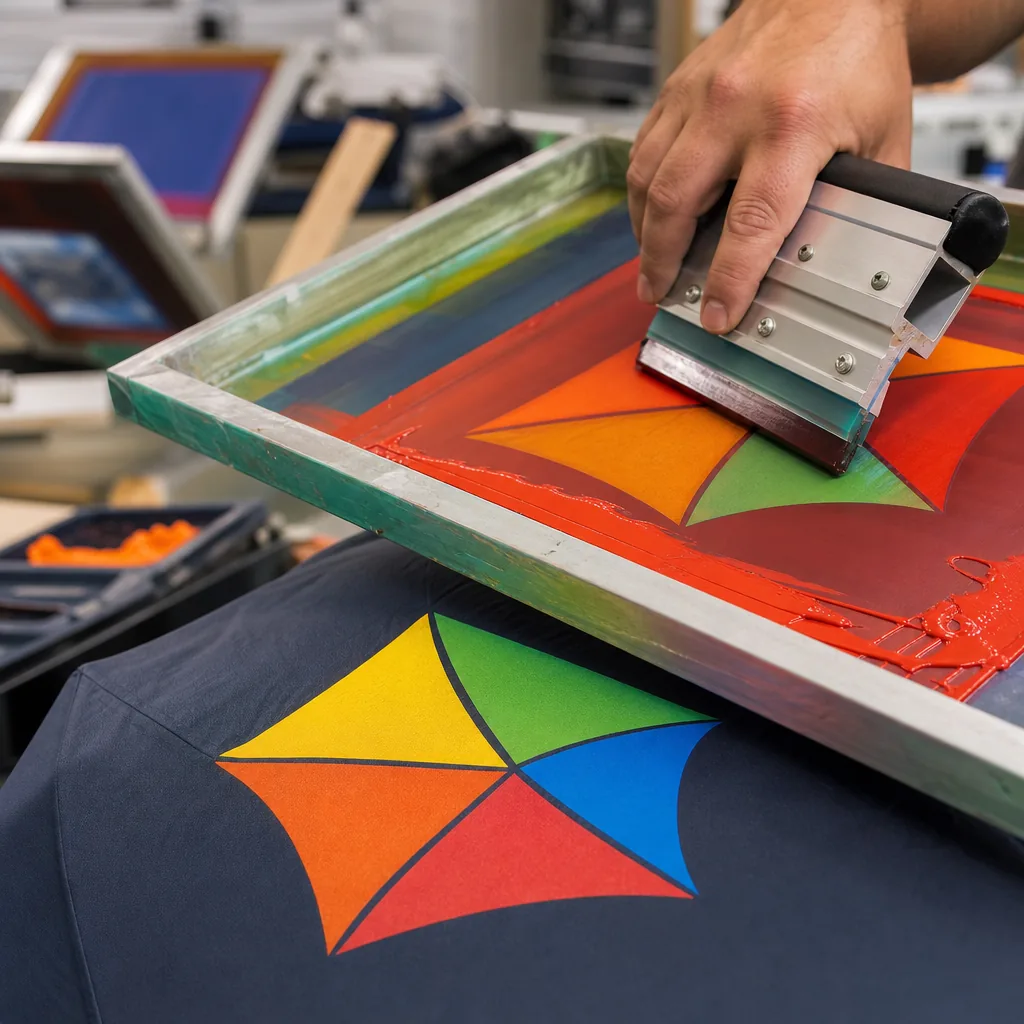
Choosing between screen print, digital print, and heat transfer is rarely about style alone; it comes down to order volume, artwork complexity, fabric behavior, and the margin math behind a retail program. At the factory level, the wrong method can mean cracked ink, washed-out colors, or unit costs that miss the target. This guide compares umbrella logo printing methods the way production teams actually evaluate them: by cost, MOQ, color range, and how each process holds up on different canopy fabrics.
Match the print method to canopy fabric and order size
For 190T and 210T pongee, screen printing umbrellas is usually the best choice when the order is large and the logo has one to three solid colors. Those fabrics take ink cleanly, hold registration well, and cure without much distortion if the canopy is tensioned correctly. On polyester, screen print still works, but the fabric weave and coating matter more, so ink choice and flash curing need tighter control to keep color matching consistent across panels. This is the most economical of the umbrella logo printing methods once you are past a practical MOQ, because the setup is paid for by volume and the per-piece cost drops fast. For buyers who want a stable brand color on 500, 1,000, or 5,000 pieces, screen print is the method I would put first.
Digital umbrella printing is the better answer for short runs, multi-color gradients, and artwork that would be expensive to separate into screens. It is especially useful when the order is under MOQ for traditional screen work, or when the customer wants many SKUs with different logos, because setup is lighter and artwork changes are cheap. On pongee and polyester, digital gives sharper detail than hand-mixed spot ink, but the operator still has to control curing and ink laydown or the print can sit too heavy on a lightweight 190T canopy. It is not the cheapest route at scale, but for test programs, seasonal promotions, and small retail drops, it avoids the dead cost of screens and keeps lead time shorter.
Heat transfer branding is the method I use when the artwork is too detailed for direct screen work or when the canopy material makes direct printing risky, especially on clear POE panels where visibility, adhesion, and surface sensitivity all matter. Transfers handle fine text, halftones, and photographic effects better than the other umbrella logo printing methods, and they are the safest option when a buyer wants complex art with tight color matching across multiple panel materials. The tradeoff is that transfers can feel less integrated than ink printed directly on fabric, so placement and press temperature matter. For mixed orders, a common factory approach at ZheBrella is screen print for high-volume solid logos, digital for low-volume variable artwork, and heat transfer branding for complex graphics or clear POE where direct ink would be unreliable.
Set expectations for color, detail, and artwork limits
For umbrella logo printing methods, start with the artwork, not the press. Screen printing umbrellas is the cleanest option for solid spot colors, bold text, and simple vector shapes because each color is laid down as an opaque layer. That gives the best durability and the most predictable color matching, especially when a buyer wants a Pantone target on a light canopy. The limit is obvious: every extra color adds a screen, setup time, and cost, so MOQ matters. Once the design depends on blends, shadows, or photographic detail, screen print stops being the right tool and the result usually looks forced on curved panels.
Digital umbrella printing handles gradients, fades, and multi-color art better because it can place a wider range of tones without separate screens. It is the practical choice when the logo has fine lines, small type, or a complex illustration that would choke in a traditional mesh stencil. Even then, very thin strokes can fill in on textured 190T or 210T pongee, and tiny reverse text often loses sharpness after the fabric is stitched into a panel. Dark canopy colors make this worse: white and yellow stay readable, but mid-tone colors sink fast into navy, black, or deep red unless the print has enough opacity and underbase.
Heat transfer branding sits between the two. It is useful when a client needs a short run, variable names, or artwork that changes often, and it can hold tighter edges than a rough screen build-up on some promotional shapes. The weak point is the same one we see on the factory floor every week: halftones break down first on seams, seams distort after sewing, and a transfer that looks fine on a flat swatch can degrade once the canopy is tensioned. For ZheBrella, the rule is simple: use Pantone matching where the substrate and MOQ justify it, avoid tiny halftone dots on dark panels, and keep the logo geometry honest to the umbrella panel size rather than forcing artwork that belongs on a flat shirt.
Break down setup cost, MOQ, and unit pricing
For umbrella logo printing methods, screen printing umbrellas still win on price once you have a real run size and a simple logo. On a flat panel or one canopy segment, a one-color screen setup is usually around USD 25 to 60 per color, and each extra color adds another screen, another alignment step, and more waste risk. In practice, MOQ is often 100 to 300 pieces for a single-color repeat order, but many factories will push higher minimums, especially if the artwork covers a large arc or needs tight color matching. A small 21-inch folding umbrella with a 1-color logo near the strap area can stay cheap; a 30-inch golf umbrella with full-panel branding is a different job because more fabric, more ink, and more labor all hit the quote.
Digital umbrella printing is better when the logo has gradients, small text, or a lot of colors, but unit pricing stays higher because you are paying for slower output and more print-head control rather than a cheap screen. MOQ can drop to 50 to 100 pieces on repeat artwork, and sometimes even lower if the factory already runs the same base canopy color, but the per-piece FOB usually sits above screen printing once you move past a few hundred units. Heat transfer branding sits in the middle: setup is lighter than screen printing, especially for multi-color art, but you still pay for film, cutting, and pressing. It is useful for short runs, but if you need consistent color matching across 1,000+ pieces, screen printing usually gives better cost control and more stable repeatability.
The print area changes the quote faster than most buyers expect. A small chest-sized mark on one panel is cheap; wrapping around multiple panels, printing on both sides, or hitting curved areas near the vent adds labor and rejects. That is why FOB and DDP quotes move not only with quantity, but also with the number of colors, the size of the print, and whether the order is a first run or a repeat run with the same screens or transfer files. Repeat orders are materially cheaper because the setup is already paid for, and the factory can often shave 10 to 20 percent off the decoration portion. On DDP, add freight, duty, local handling, and carton volume, so a large logo on a big umbrella can move the landed cost more than the decoration fee alone. ZheBrella treats the decoration line separately from the umbrella body, which is the only honest way to compare umbrella logo printing methods across FOB and DDP quotes.
Check durability against folding, rain, and abrasion
For durability, screen printing umbrellas still wins when the artwork is simple and the run is long. A properly cured plastisol or solvent-based ink sits on the surface with decent wash-rub resistance, but it is not the same thing as being immune to abuse. On folding umbrellas, every open-close cycle bends the canopy panel at the ribs and near the seams, so thick ink films can micro-crack if the print area crosses a high-flex zone. That risk is highest on cheap promo giveaway umbrellas with loose fabric tension and basic 8K frames. By contrast, retail umbrellas on 16K frames hold the panel flatter, which reduces stress on the print edge and improves appearance after repeated use. If the buyer wants the best balance of cost and durability, the real question in umbrella logo printing methods is not just price per piece; it is whether the decoration survives daily handling, rain, and bag abrasion without losing the logo edge.
Digital umbrella printing is better for gradients, small text, and multi-color art, but its durability depends heavily on ink system and fabric prep. On treated pongee 190T or 210T, good sublimation or UV-curable output can give strong fade resistance, especially on light-colored canopies, yet the ink layer is usually thinner than screen printing and can look tired sooner if the umbrella gets folded wet or rubbed against other items in transit. The advantage is color matching flexibility: digital can reproduce fine brand colors and complex artwork without forcing a high MOQ for each shade. The weakness is that very dark solids, metallic-looking colors, and heavy coverage can show wear faster at the crease lines. For promo giveaways, that is often acceptable because the expected service life is short. For retail umbrellas sold through stores, the buyer usually wants a decoration method that still looks clean after repeated opening, closing, and a season of rain exposure.
Heat transfer branding sits between the two, but it is the method most likely to show edge lift or cracking when the film is too thick or the adhesive is undercured. It is useful for small runs, sharp logos, and fast setup, especially when the MOQ is low and the artwork may change from order to order. The problem is abrasion: once the transfer starts to harden, repeated flexing on 8K umbrellas can produce fine cracks at the fold line, and poor bonding will fail even sooner if the canopy is stored wet. On higher-end 16K retail umbrellas, a well-made transfer can work, but only if the panel location avoids the strongest bend point and the customer accepts that it is not the most rugged option. In practice, I treat screen printing umbrellas as the safest choice for simple branding, digital umbrella printing as the best option for detailed artwork and color matching, and heat transfer branding as a flexible but less durable tool for short-run programs and promotional channels.
Specify sampling, approval, and production lead time
For umbrella logo printing methods, the schedule starts with artwork lock, not with the press. We ask for vector files, Pantone targets, print placement, and the exact canopy size before sampling starts, because a 1 cm shift on a 23" or 27" panel can change how the logo reads on the open umbrella. With screen printing umbrellas, we usually make a physical strike-off first; for digital umbrella printing or heat transfer branding, we still approve a reference sample so the buyer signs off on line thickness, edge sharpness, and color density. If the customer changes the art after approval, the clock resets. That is why MOQ, color matching, and final packaging instructions need to be fixed together, not one by one after production has already started.
Typical first-order lead time is longer because it includes sampling, approval, and pre-production setup. A simple one-color screen print can move faster once the mesh and ink are locked, but multi-color screen printing umbrellas, digital umbrella printing, and heat transfer branding each have different setup steps and drying windows. For the first order, plan on about 7-10 days for sampling and approval, then 25-35 days for production after deposit and final artwork lock, depending on canopy material, panel count, and whether we are doing manual, auto-open, or auto-open-close models. Repeats are faster because the screens, transfer art, and packing specs are already approved; in practice, repeat orders often drop to 15-25 days if the factory schedule is open and the carton format stays unchanged.
Quality control is not just a final glance at the logo. Our standard practice is AQL 2.5 inspection on finished goods, which means we check printing registration, color consistency, seam alignment, opening/closing function, and carton packing against the approved sample. If the buyer has strict color matching, we hold the lot until the first-off print is signed and the reference shade is fixed under daylight or D65 light; otherwise you get avoidable disputes between screen printing umbrellas and digital umbrella printing runs. Packaging affects ship dates more than people expect: branded sleeve, hangtag, barcode sticker, master carton layout, and drop-test requirements can add a few days after production. If you need FOB or DDP timing, the cleanest approach is to freeze artwork, approve the color, and confirm packing details before the line is scheduled.
Frequently Asked Questions
Which branding method is best for small test orders?
Digital print or transfer usually fits low-MOQ tests because setup is lighter. For buyers validating a design or channel, that reduces upfront tooling cost before committing to a screen run.
When should a buyer avoid multi-color printing on umbrellas?
Avoid it when the canopy is very dark, the logo is tiny, or the order needs tight cost control. In those cases, one- or two-color decoration usually prints cleaner and holds margins better.
What MOQ usually makes screen printing the most cost-effective choice for umbrellas?
Screen printing is usually the best value at higher volumes, often around 500 units or more per design. It works well when the logo uses 1-2 spot colors and the artwork stays consistent across the order.
When should a buyer choose digital printing instead of screen printing?
Digital printing is better when the design has gradients, small text, or many colors and the order size is smaller, often under 300-500 units. It also shortens setup time because there are no separate screens for each color.
How does heat transfer compare for color matching and fabric compatibility?
Heat transfer gives strong color fidelity and is useful for detailed artwork, but it may not be the best option for every fabric finish or very high-volume program. Buyers usually ask for a production sample first so they can confirm adhesion, wash resistance, and final color on the actual umbrella canopy material.
Looking to Launch Your Custom Umbrella Line?
ZheBrella is a Zhejiang-based OEM/ODM umbrella manufacturer with 17 years of export experience. Free design, low MOQ from 100 pieces, windproof construction, full-color print.
Get Free Quote Now »People Also Search For
Related Articles
Matching Logo Methods to Umbrella Order Volume and SKU Mix
Compare logo methods by MOQ, SKU count, and lead time so buyers can choose a cost-efficient umbrella branding setup for ...
Read More »
Matching Logo Methods to Umbrella Order Quantities
Compare logo methods by MOQ, setup cost, and lead time so buyers can choose the right branding route for small runs, rol...
Read More »Screen Printing, Digital Printing, or Transfer for Umbrella Logos
Compare logo print methods for umbrellas by MOQ, color count, durability, and lead time so buyers choose the right brand...
Read More »