How to Specify Logo Size and Placement on Umbrellas
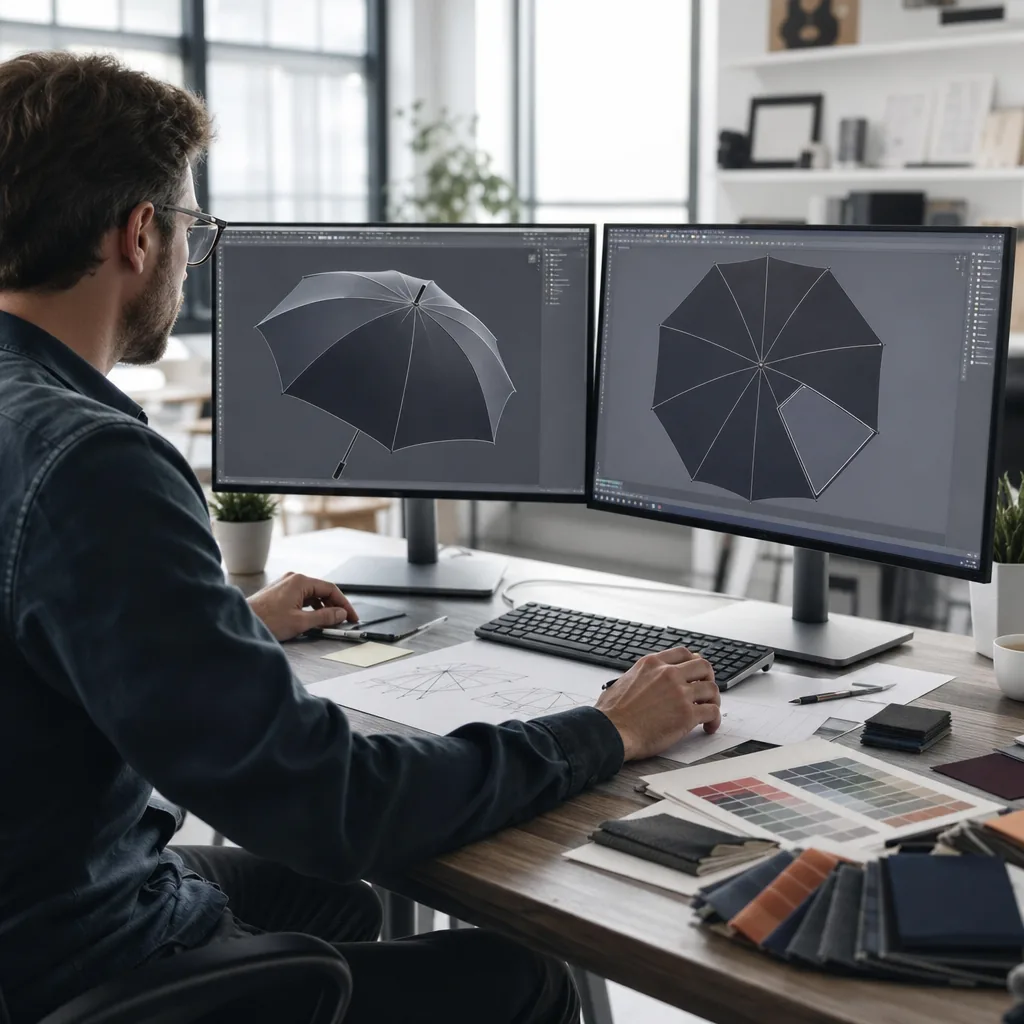
Getting logo size and placement right on an umbrella is less about decoration than control: the mark has to stay readable on curved panels, survive stitching and seam allowances, and still look balanced when the canopy opens under load. In production, small changes to panel count, print method, and panel geometry can make the same artwork behave very differently, so the spec has to match how the umbrella is actually built. Clear umbrella logo size decisions early prevent misalignment, distortion, and costly rework at the factory floor.
Define the print zone before artwork starts
Define the print zone from the sewn panel, not the sales size. A 21-inch compact, 23-inch straight umbrella, and 27-inch golf umbrella are all quoted by rib length from runner to tip, which tells you coverage, not the usable canopy print area. For branded umbrella artwork, measure one finished panel flat between stitch lines, then deduct the no-print zones created by seams, tip reinforcement, vent cuts, and the hem turn-back before you set umbrella logo size. On a typical 8K 21-inch folding model in 190T pongee, the flat panel may measure about 27-29 cm wide by 43-45 cm high, but the safe printable field often drops to roughly 20-22 cm by 24-28 cm once seam creep, seam allowance, and the closed-canopy curve are removed. A 23-inch straight umbrella usually gives a cleaner single-panel area because the canopy curve is less aggressive, while a 27-inch golf umbrella, especially in 8K or 16K builds, offers a larger field but still loses usable space near the outer third where tension changes the shape the most.
Build the logo placement guide around production limits, not a catalog sketch. For screen print, keep artwork at least 10-15 mm away from each seam, and increase that margin on 210T pongee or whenever a sharp-edged mark would expose registration error. Leave 20-30 mm above the binding or hem so the logo does not roll out of shape when the canopy is under load. Vented windproof umbrellas reduce the real print zone again because the vent opening, overlap, and sewing shift can push a centered design visually high or low on the finished canopy. As a working reference, a 21-inch 3-fold promo umbrella branding job usually suits a single-panel logo around 140-180 mm wide; a 23-inch auto-open straight umbrella often fits 180-220 mm; and a 27-inch golf umbrella can take about 250-300 mm on one panel if the frame is 8K and the vent does not cut through the design. For repeat prints, gradients, or multi-panel artwork, approve against the factory template with seam allowances, vent cut lines, and visual centerlines marked first, then lock the canopy print area from that drawing.
Match logo scale to viewing distance
Set umbrella logo size from viewing distance, then match the art to the panel and fabric. For close-up retail umbrellas handled at arm’s length, a 120-160 mm logo on one 21" or 23" panel is usually the practical target. For event giveaways that must read from a registration line, sidewalk, or tee box, move to 180-260 mm on a 27" or 30" canopy panel. That range gives better promo umbrella branding because canopy curvature, ribs, and motion all reduce effective readability. As a rule, a 1-color mark prints cleanest at smaller sizes, a 2-color mark works when the shapes are bold and registration is forgiving, and a simplified wordmark is often the best choice when the original logo has thin strokes or fine interior detail.
Fabric choice changes the usable umbrella logo size. On 190T pongee, small text, thin outlines, and reversed details lose clarity quickly, especially on dark canopies, so anything below about 140 mm wide should usually be reduced to a solid 1-color symbol or a pared-back wordmark. If the art includes a slogan, serif letters, or lines under 1.2 mm, simplify it before approving the branded umbrella artwork; otherwise the proof will look better than the finished print. 210T pongee gives the print more edge definition and a cleaner ink laydown, so larger marks hold up better, especially around 200 mm and above on a single panel. For production, confirm the canopy print area, panel alignment, and print registration in the logo placement guide, then hold the order to AQL 2.5 so the final umbrellas match the approved layout.
Choose placement based on frame construction
Frame construction determines the usable canopy print area and, by extension, practical umbrella logo size. On a standard 8K frame, each gore is wider, so center-panel placement usually gives the safest result for larger marks: roughly 18 to 24 cm wide on a 21 in. to 23 in. umbrella and about 22 to 28 cm on a 27 in. golf umbrella, before seam allowance and panel curvature reduce the live area. A 16K frame divides the same canopy into narrower gores, so branded umbrella artwork that works on an 8-panel layout often must be reduced, reformatted as a vertical lockup, or stripped of fine detail to stay clear of the seam zone. That is not a design preference; it affects legibility at distance and approval risk before production. A logo that reads cleanly at 3 meters on an 8K center panel can fragment on a 16K fashion stick umbrella if the art is not rebuilt for the narrower panel width. As rib count moves from 8K to 16K, the safe rule is tighter composition, fewer small elements, and stricter margins.
Layout changes how the mark performs once the umbrella opens. Center-panel placement is the lowest-risk choice for logos with small text because the viewer reads one uninterrupted panel at a time, especially on wider 8K canopies. Alternating-panel layouts improve visibility in motion, but on 16K frames the tighter rhythm can look crowded unless the logo placement guide simplifies the mark first. Repeat placement on every panel is common for promo umbrella branding, but it multiplies registration risk: a minor angle shift in screen printing or heat transfer is repeated 8 or 16 times across the canopy. Frame material matters here. Steel ribs hold a flatter panel profile, so geometric logos stay closer to proof dimensions across the print field. Fiberglass ribs flex more under wind load, which is why they are common on windproof umbrellas rated above 50 mph and on vented double-canopy designs, but that flex can slightly distort wide horizontal art on 190T or 210T pongee. For cleaner results, keep repeat artwork 10 to 15 mm off the seam and consider alternating panels instead of full repeat on fiberglass 8K or 16K frames.
Set artwork rules for repeat orders
For repeat orders, the buyer spec should replace vague instructions like “same as last time” with measured artwork data. Record umbrella logo size in millimeters, the exact canopy print area for the model, and the layout choice: one panel, two opposite panels, all panels, or full repeat. For each placement, list the finished logo dimensions, the distance from the nearest seam to the first print edge, and the distance from the panel centerline or leading edge to the logo start point. Tie those numbers to the exact umbrella construction: rib length, rib count, frame type, and fabric. A 210 x 140 mm logo that fits cleanly on a 23-inch 8K straight umbrella in 190T pongee can look undersized on a 27-inch or 30-inch golf model, especially if the arc is wider and the panel curve is more pronounced. This is the core of a usable logo placement guide: it locks the artwork to one product, one panel map, and one repeatable print location.
Put color and file controls in the PO as hard requirements. List Pantone references for every spot color and state whether the approval is matched to Pantone C or U; for polyester pongee, Pantone C is usually the closer visual reference. Require AI, EPS, or vector PDF with text outlined; if a raster file is unavoidable, set the minimum at 300 dpi at full size. Add seam-safe margins so the artwork survives sewing, tension, and hardware interference: keep key text and thin strokes at least 12 to 15 mm from panel seams and 18 to 20 mm from the runner, top cap, and tip zones on compact umbrellas. Specify a position tolerance of +/-5 mm in both directions for standard panel printing, or +/-3 mm only if the buyer accepts tighter setup control and higher spoilage risk. For promo umbrella branding, the approval sample should stay consistent across reorders by archiving one signed golden sample, the final artwork file, print method, Pantone callouts, panel layout, and a ruler-marked placement photo under the PO and style code. If the canopy fabric changes from 190T to 210T, or the print method changes from screen print to heat transfer, issue a new sample and do not treat it as a blind reorder.
Balance brand visibility with production cost
Print position count usually drives decoration cost more than the umbrella itself. For promo umbrella branding, a single logo on one panel of a 21 inch or 23 inch model is the lowest-risk spec: one setup, fewer screens, and one print location to inspect under AQL 2.5. Cost climbs fast when artwork repeats on opposite panels, alternates across an 8K or 10K canopy, or runs as a full-wrap graphic. Each added panel creates another registration check and another possible failure at the seam, crown, or rib line. That matters because seam allowance reduces usable print space, the canopy distorts near the top, and fabric tension changes after opening. In many cases, a moderate umbrella logo size on one panel reads better at 3 to 5 meters than artwork split across ribs and sewing lines. If you need more visibility without the reject risk of all-panel printing, two opposite panels usually deliver the best cost-to-exposure balance.
Build branded umbrella artwork from the actual canopy print area, not the flat panel drawing. On a 23 inch straight umbrella in 190T pongee, the lower third of one panel usually gives about 18 to 20 cm of usable width, with less space near the tip and crown because of curvature and stitching. A practical logo placement guide keeps text and fine lines 8 to 12 mm away from seams and clear of vent openings on double-canopy styles. Full-wrap decoration is more workable on 27 inch or 30 inch golf umbrellas, but it adds alignment checks, longer screen or heat-transfer setup, and higher reject risk than most buyers expect when setting umbrella logo size. Match decoration complexity to MOQ and shipping terms early: basic 1-color, 1-position printing often starts at 300 to 500 pieces, while multi-panel sublimation or repeat heat-transfer usually starts around 1,000 pieces. Sample lead times are typically 5 to 7 days after artwork approval for a basic panel print and 7 to 12 days for wrap designs. FOB terms give more room for late packaging updates; under DDP, carton marks, labels, and customs descriptions must be fixed earlier, so decoration changes are more likely to delay shipment.
Frequently Asked Questions
What logo size works best on a standard promotional umbrella?
For most promotional umbrellas, a logo width around 120-180 mm is common, but the right size depends on canopy diameter and viewing distance. Larger golf umbrellas can support wider marks, while compact umbrellas usually need cleaner, simpler artwork.
Should the logo go on one panel or multiple panels?
One panel is usually the safest choice for clarity and lower cost. Multiple-panel placement can create stronger visibility, but it needs tighter artwork control and more careful seam alignment during production.
How many umbrella panels should I print for the best balance between cost and visibility?
For most promotional orders, 2 opposite panels is the standard because it keeps branding visible from multiple angles without doubling full print cost. For stronger retail presentation, 4 panels is common, while full-panel repeats are usually reserved for all-over designs and higher-budget programs.
What artwork file setup reduces production issues for umbrella logo printing?
Submit vector files in AI, EPS, or PDF with text outlined and spot colors clearly marked in Pantone references. If the design crosses seams or goes near panel edges, keep a safety margin of about 10-15 mm and request a factory panel template before final approval.
Does umbrella size change the recommended logo dimensions?
Yes. A logo that reads well on a 23-inch compact umbrella may look undersized on a 30-inch golf umbrella, so artwork usually needs to scale with canopy width and panel height. Many B2B buyers approve a printed mockup by umbrella size because the same logo often needs different widths for 8-panel and 16-panel constructions.
Looking to Launch Your Custom Umbrella Line?
ZheBrella is a Zhejiang-based OEM/ODM umbrella manufacturer with 17 years of export experience. Free design, low MOQ from 100 pieces, windproof construction, full-color print.
Get Free Quote Now »People Also Search For
Related Articles
Top 5 Logo Size Decisions for Branded Umbrella Panels
Plan logo size by umbrella type, panel count, print method, and buyer approval needs before sampling branded umbrella or...
Read More »Refined Logo Placement Specs for Branded Umbrella Canopies
Plan logo placement on umbrellas with clear specs for panel size, safe zones, seam breaks, and repeat-order consistency ...
Read More »
Umbrella Logo Placement Strategies for Different Brand Goals
Learn how logo placement changes visibility, resale value, and repeat use on branded umbrellas, with print-area and pane...
Read More »