Logo Scaling Rules for Compact, Golf, and Patio Umbrellas
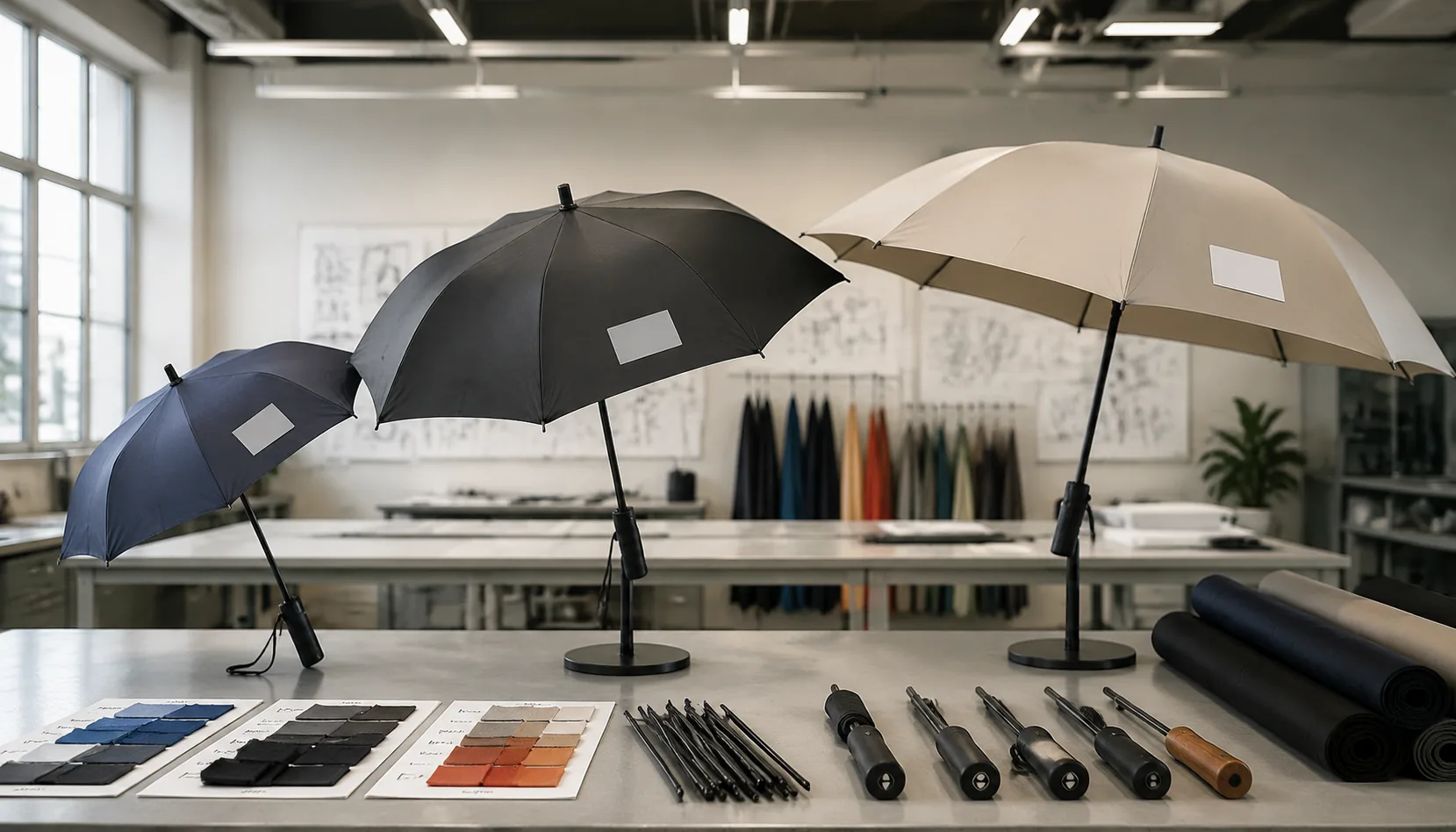
Logo artwork that looks balanced on a compact umbrella can look undersized on a golf canopy and awkwardly oversized on a patio panel, especially after seam allowances and print stretch are accounted for. On our Songxia factory floor, we set an umbrella logo size guide by measuring usable panel area, checking viewing distance, confirming print-process limits, and locking the final size only after a buyer-approved strike-off sample.
Why One Logo Size Cannot Fit Every Umbrella
A single logo file cannot be scaled by percentage across every umbrella because the printable panel is not a fixed rectangle; it is a tapered wedge controlled by canopy diameter, rib count, seam allowance, and the curvature after sewing. A 21" compact folder usually has short, narrow panels, so a compact umbrella logo around 5–7 inches wide is often the practical range if you want clean edges and enough margin from the ribs. Push it to 9 inches and the artwork starts fighting the panel shape, especially on 190T pongee where screen registration can drift slightly over seams and tension points. On a 23" or 27" 8K stick umbrella, the same logo can sit wider because each panel has more height and flatter visual space when opened, but the viewer is still usually within 3–10 feet, so oversized branding can feel heavy rather than premium.
Rib count changes logo impact as much as diameter. An 8K umbrella divides the canopy into eight larger panels, which gives more uninterrupted printing area per panel for screen print, heat transfer, or digital transfer. A 16K golf umbrella may have a 30" or 32" radius and a large overall canopy, but each individual panel is narrower because sixteen ribs split the surface into smaller wedges. That means golf umbrella branding often works better as repeated medium logos on alternate panels, or one larger logo carefully centered below the top cap line, instead of assuming the bigger umbrella automatically allows a huge mark. For a double-canopy vented windproof golf model with fiberglass ribs, we also keep logos clear of vent overlaps, stitch lines, and high-flex zones tested around 50+ mph, because cracked transfer film or distorted print is more damaging to a brand than a smaller logo.
Viewing distance is the reason patio umbrella printing follows different rules from rain umbrellas. A café or resort patio umbrella may be viewed from 20–80 feet away, above eye level, and often in bright sun, so the logo usually needs stronger contrast, thicker strokes, and larger placement on valances or broad canopy panels. On PVC, POE, or coated polyester patio canopies, ink choice and curing matter because UV exposure, water pooling, and abrasion from folding can age a print faster than normal rain use. This is where an umbrella logo size guide should separate close-range promotional use from outdoor signage use: compact folders prioritize legibility in the hand, 8K stick umbrellas balance panel space and walking visibility, 16K golf umbrellas require rib-aware placement, and patio umbrellas need distance-readable graphics. Our standard practice at ZheBrella is to confirm final logo scaling for umbrellas with a 1:1 panel template before sampling, not just a mockup on a round canopy image.
Recommended Logo Size Ranges by Model
For a compact umbrella, the safe one-panel print zone is smaller than most buyers expect: on a 21" folding model, keep a compact umbrella logo around 3.0" to 4.5" wide, or 4" x 4" for a square mark. On 23" standard stick umbrellas, 4" to 6" wide works well on one panel without fighting the curve of 190T or 210T pongee. I do not like pushing artwork closer than 1.5" from a rib seam or 2" from the canopy hem, because the sewing line and panel tension can make a straight logo look slightly bowed after assembly. For repeated logos, use smaller marks: 1.5" to 2.5" wide on compact models, 2.5" to 3.5" on 23" models, usually centered in each panel or alternated across 8K ribs. This umbrella logo size guide assumes screen print or heat transfer; sublimation can handle tighter detail, but the panel shape still controls placement.
Golf umbrella branding has more room, but it also shows mistakes more clearly. On a 27" or 30" golf umbrella with 8K or 10K fiberglass ribs, a one-panel logo usually looks best at 6" to 9" wide, with 10" as the upper limit unless the design is very simple. For double-canopy vented windproof models rated around 50+ mph, keep the logo on the lower canopy panel and away from the vent overlap, otherwise the upper canopy shadow can cut across the artwork in photos. Repeated logos on golf umbrellas can run 3" to 5" wide per panel, but I prefer alternating panels for corporate gifts so the canopy does not look like packaging. For oversized event branding, a 12" to 16" wide mark across one golf panel is possible, but only after checking the actual panel template, rib count, and logo shape; tall vertical logos need more caution than horizontal wordmarks.
Patio umbrella printing follows different rules because the viewer is farther away and the canopy sits flatter. On 6.5 ft to 9 ft patio umbrellas, a one-panel logo can run 10" to 18" wide, while restaurant or beer-brand event graphics often use 18" to 28" marks on alternating panels. Full-panel branding is possible on polyester, acrylic, or solution-dyed fabric, but the artwork should stay 2.5" to 3" away from hems, valance stitching, and rib pockets. On square patio umbrellas, check corner seams carefully; a logo placed too low can disappear once the canopy is tensioned over the frame. Our standard practice at ZheBrella is to confirm logo scaling for umbrellas on the production panel drawing before screens or transfer films are made, because changing a 16K frame layout after printing wastes fabric fast. For FOB or DDP orders with AQL 2.5 inspection, I recommend approving a printed strike-off, not just a digital mockup.
Print Method Limits That Affect Scaling
Print method sets the real floor for logo scaling, not the artwork file. For screen printing on 190T or 210T pongee, I do not like approving positive lines below 0.35 mm or reversed-out gaps below 0.5 mm, because the fabric moves slightly under the screen and ink spreads into the weave. On a 21" compact umbrella logo, that often means simplifying small registration marks, thin taglines, and tiny ® symbols before production. On a 30" golf umbrella branding panel, the same logo can usually hold more detail because the print area is larger and the fabric is flatter during setup. Dark navy, black, forest green, and burgundy canopies normally need a white underbase for bright corporate colors; without it, red turns dull and yellow looks muddy. A practical umbrella logo size guide should therefore specify both finished logo width and minimum stroke weight, not just “print at 8 inches wide.”
Digital print handles gradients, photographs, and fine color transitions better than screen print, but it still has scaling limits on umbrella fabric. Sublimation works best on white or very light polyester pongee; it is not a magic solution for black canopies because dye cannot overpower a dark base fabric. UV-coated or Teflon-treated UPF 50+ fabric also needs testing, since surface coatings can reduce ink bite or change the sharpness of small type. For digital logo scaling for umbrellas, we usually ask for 300 dpi artwork at final size, but that number alone is not enough: a 6 pt legal line may be technically printable and still unreadable once the canopy curves over fiberglass or steel ribs. Digital print is strongest for full-panel patio umbrella printing, event graphics, and retail patterns where slight fabric distortion is acceptable. For tight brand marks with exact Pantone matching, screen print with a controlled underbase often gives cleaner commercial results.
Heat-transfer logos create their own size constraints because the film, adhesive, and press area must match the umbrella panel geometry. A compact umbrella logo near a seam or rib tip may be limited to about 80–120 mm wide, while a 23" or 27" straight umbrella can usually accept a 150–220 mm transfer if the panel is properly supported. Golf umbrellas give more room, but large transfers can feel stiff on 190T pongee and may wrinkle if placed across a vented double-canopy overlap. Patio umbrellas allow bigger marks, yet the press bed and panel curvature still decide whether one large transfer or multiple aligned prints are safer. Transfers are useful for short MOQ orders, metallic effects, and multi-color logos on dark fabric, but the white base layer increases thickness and can expose trimming errors. A good umbrella logo size guide should separate screen, digital, and transfer recommendations instead of forcing one logo dimension across compact, golf, and patio models.
Frame and Mechanism Factors to Check
Mechanism decides the real print area before artwork size does. On a 21" compact umbrella, an auto-open or auto-open-close shaft pulls the runner higher and tighter than a manual frame, so the canopy panels crease harder near the rib tips and around the center cap. That is why a compact umbrella logo usually sits in the lower-middle third of one panel, not close to the notch, ferrule, or seam allowance. For a practical umbrella logo size guide, I normally start with the open arc width, then subtract 15–25 mm from each stitched edge and keep the logo at least 40 mm above the panel hem where folding abrasion is worst. Steel ribs make sharper fold lines and can rub ink on 190T pongee after repeated packing; fiberglass ribs flex wider and reduce stress, but they also let the canopy move more in wind, so registration tolerance matters on multi-panel prints.
Rib count changes the printable geometry more than many buyers expect. An 8K frame gives wider triangular panels, a 10K frame narrows each panel slightly, and 16K fashion umbrellas can make a wide horizontal logo look cramped unless it is split or reduced. For golf umbrella branding on 27" or 30" models, fiberglass ribs with a strong center shaft usually give the safest print surface because the canopy opens flatter and resists rib deformation during screen printing. Double-canopy windproof vents need extra caution: the upper vent layer overlaps the lower canopy, so printing too close to the vent seam can hide part of the mark or create ink buildup where two fabrics move against each other. On vented golf umbrellas rated for 50+ mph wind tests, I keep logos on the main lower panel, clear of the floating vent edge, and avoid metallic heat-transfer films that can crack where the vent flexes.
Patio umbrella printing has a different scaling problem because the canopy is held under long-term stretch, not folded into a sleeve every day. A 6.5 ft, 7.5 ft, or 9 ft patio frame pulls polyester or solution-dyed fabric outward from the hub to the valance, so a round logo can look slightly taller or wider depending on panel tension after assembly. Our standard practice at ZheBrella is to approve patio artwork on a mounted frame, not only on a flat fabric strike-off, because the ribs, pockets, and air vent change visual proportion. For logo scaling for umbrellas, keep large restaurant or beer-brand marks away from rib pocket stitch lines and avoid placing fine text across the crown where fabric gathers. If the umbrella folds with a crank-and-tilt mechanism, also check where the canopy rubs against the pole, finial, and strap; those contact points can abrade PVC, plastisol, and heat-transfer prints faster than a properly cured screen print or sublimation mark.
Approval Workflow for Multi-Size Orders
Approval should be size-by-size, not one artwork approval stretched across the whole PO. A compact umbrella logo that looks clean on a 21" folding canopy can look weak on a 30" golf panel, while the same mark may become too bold on patio umbrella printing where the viewing distance is 6–10 feet. For any multi-size order, require scaled digital mockups for every SKU: 21" compact, 23" straight, 27" or 30" golf, and patio sizes such as 6.5 ft, 7.5 ft, or 9 ft. The mockup should show print width in millimeters, panel position, edge clearance, rib orientation, and whether the logo crosses a seam. Treat this as the first gate in your umbrella logo size guide, because it catches 80% of scaling mistakes before screens, films, or heat-transfer plates are made.
Printed strike-offs should also be approved per size and per method. Screen printing on 190T or 210T pongee behaves differently from heat transfer on coated polyester, sublimation on white panels, or one-color printing on PVC, POE, and EVA canopies. For golf umbrella branding, I normally want a strike-off on the actual canopy fabric with the final coating, especially if there is Teflon water repellency or UV UPF 50+ treatment, because ink adhesion and color density can shift after finishing. For logo scaling for umbrellas, specify Pantone tolerance, minimum line thickness, registration tolerance, and whether the print must survive a tape test, rub test, and folded-storage check. If the order includes 8K, 10K, or 16K frames, check the print position against rib shadows and panel tension, not just the flat fabric.
Do not release bulk cutting until pre-production samples are signed for each umbrella size, including final frame, handle, canopy fabric, logo size, carton mark, hangtag, and polybag layout. Our standard practice at ZheBrella is to tie this approval to MOQ and inspection terms: for example, 500 pcs per color for compact umbrellas, 300 pcs for golf umbrellas, and project-based MOQ for patio umbrellas depending on frame and fabric. During final inspection, add AQL 2.5 print checks for logo placement, color, cracking, ghosting, ink bleed, and panel-to-panel consistency. FOB and DDP orders also need carton marking approved before packing: item number, size, color, quantity, gross/net weight, carton dimensions, destination, country of origin, and any Amazon FBA or retailer routing labels. Without that carton approval, a good print job can still become a receiving dispute.
Frequently Asked Questions
Should the same logo file be used for compact and golf umbrellas?
The master vector file can be the same, but the logo size and placement should be scaled separately. A golf umbrella usually needs a larger logo to look balanced from a distance.
What is the safest logo placement for mixed umbrella programs?
A centered one-panel logo is usually the safest across compact, stick, and golf models. It reduces seam alignment risk and keeps approval simple for multi-SKU orders.
What logo size is usually readable on a compact umbrella?
For compact umbrellas, a practical logo width is usually 12-18 cm on one panel, depending on the panel shape and seam allowance. Very fine text under about 5 mm high should be avoided because it may fill in during screen printing.
Should the same logo file be used for compact, golf, and patio umbrellas?
The vector artwork can be the same, but the print size should be adjusted for each canopy type. A golf umbrella may support a 20-30 cm wide logo, while patio umbrellas often need larger artwork because they are viewed from farther away.
How do buyers confirm logo scaling before mass production?
Most OEM factories provide a digital mockup first, then a pre-production sample or printed panel sample for approval. Buyers should confirm logo width, position from the panel edge, Pantone colors, and viewing orientation before bulk production starts.
Looking to Launch Your Custom Umbrella Line?
ZheBrella is a Zhejiang-based OEM/ODM umbrella manufacturer with 17 years of export experience. Free design, low MOQ from 100 pieces, windproof construction, full-color print.
Get Free Quote Now »People Also Search For
Related Articles
Logo Scale Rules for Compact Folding Promotional Umbrellas
Set practical logo sizes for 3-fold and 5-fold umbrellas, balancing panel width, auto-open frames, rib layout, MOQ, and ...
Read More »
Scaling Umbrella Logos Across Folding, Stick, and Golf Models
Set logo sizes that translate across folding, stick, and golf umbrellas while protecting readability, print quality, app...
Read More »
Logo Scaling Across Folding, Stick, and Golf Umbrellas
Set logo size rules across 21-inch folding, 23-inch stick, and 30-inch golf umbrellas so brand assets stay consistent th...
Read More »