Multi-Logo Umbrella Layouts for Brand and Partner Programs
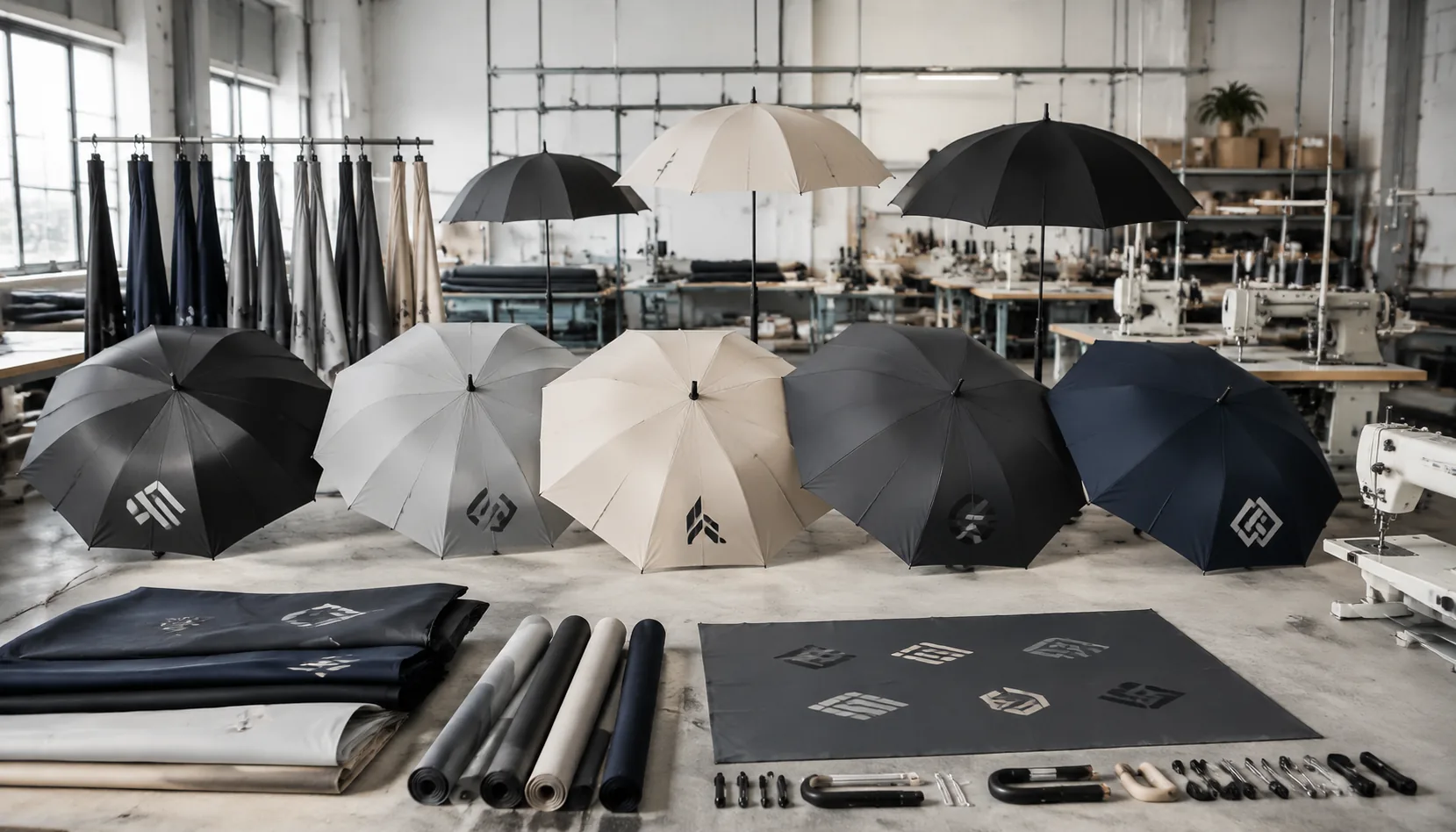
When a program umbrella has to carry a host brand, one or more sponsors, and maybe a retailer or event partner, the layout has to solve three problems at once: visibility, hierarchy, and manufacturability. In our Songxia factory, we see how multi-logo umbrella branding succeeds or fails at the panel seam, the strap fold, and the sleeve print long before the first sample reaches a buyer’s desk.
Map logo hierarchy before designing the canopy
Start with hierarchy, not artwork. In multi-logo umbrella branding, the first question is whose name must read from six feet away and whose mark can stay secondary. I treat the canopy like a billboard with limited viewing angles: the primary brand usually gets the largest, cleanest placement on one panel or on the panel facing the user, while a partner logo placement goes on the opposite panel or a neighboring panel at a reduced size. Sponsor logo umbrellas are different; if the event has multiple sponsors, the main host logo should dominate and the rest should be organized by contract priority, not by who sent the file first. If you skip that decision, the custom umbrella artwork setup turns into a fight over space instead of a print plan.
For a co-branded umbrella layout, I prefer one strong primary mark and one secondary mark on the canopy whenever possible. A single panel works best when the logo has enough width, simple text, or a horizontal lockup that would look cramped if split. The opposite panel is the safer choice when two brands need equal visibility without merging identities, because it preserves spacing and keeps seams from cutting through the logo. Smaller sponsor marks belong on less visible canopy panels only when the agreement calls for logo presence rather than brand dominance; otherwise, move them to the sleeve, strap, hangtag, or carry case so the canopy stays readable. That approach keeps the umbrella usable as merchandise instead of turning it into a patchwork.
The practical rule is to assign the best-viewed panel to the brand that pays for recognition, then place supporting marks where they do not compete with the main message. On 8K or 10K frames, panel width is tight enough that a crowded layout becomes unreadable fast, especially on 21-inch and 23-inch compact umbrellas with curved seams. If the artwork has three or more logos, I usually push the sponsors off the canopy unless the client explicitly wants a sponsor logo umbrella for events or fundraising. On factory files, we separate the canopy print from accessory prints early so the artwork team can trap seams, confirm stitch margins, and keep each logo legible at full open diameter.
Use safe spacing rules for mixed marks
For multi-logo umbrella branding, the first thing I check is clear space, not artwork taste. On a real canopy, logos need room to breathe or they fail at the hem, the seams, or the wind vents. A practical co-branded umbrella layout usually keeps at least 8–12 mm of safe space from stitch lines, panel edges, and the runner’s path on the inside print. If you are stacking sponsor logo umbrellas with multiple marks, align every logo to one centerline or one panel grid; floating placements always look sloppy once the umbrella opens and the panels pull the art out of square.
Panel count changes the game more than buyers expect. An 8K canopy gives each panel more width, so partner logo placement can be more forgiving and larger marks stay legible without touching seams. A 16K canopy cuts the panel width roughly in half, which means the same artwork feels crowded much faster and small text becomes risky near the ribs. In custom umbrella artwork setup, I usually tell clients to design for the seam reality first: keep logos away from the apex, avoid critical text across joins, and leave extra margin if the print will be heat-transfer or sublimation instead of screen print.
Edge margins should be set by the finished open umbrella, not the flat pattern file. The canopy stretches on open, but the hem and seam allowances do not, so the outer 10–15 mm is the first area to distort or disappear in production. For a safe mixed-mark layout, I keep the main brand mark centered on one panel or split symmetrically across two adjacent panels only when the artwork is bold enough to survive the join. That is the part most buyers miss in multi-logo umbrella branding: the layout has to work for sewing tolerances, not just for the PDF proof.
Choose the right decoration method for each logo
For `multi-logo umbrella branding`, the first decision is not the artwork file; it is the decoration method. One-color screen print is still the cleanest choice for large, simple marks on polyester or pongee canopies, especially when the logo sits on a flat-looking panel near the vent line or above the runner. It lays down opaque ink fast, keeps cost down on sponsor logo umbrellas, and survives normal folding well if the ink system and curing are right. The limit is obvious: once the mark has fine gradients, small text, or tight registration, screen print starts to lose sharpness on a curved umbrella panel because the fabric is never truly flat during press or use.
Multi-color transfer is the better answer when the co-branded umbrella layout needs more than one ink tone, small type, or a detailed partner mark with clean edges. A good heat-transfer or sublimation setup carries detail better than screen print on curved canopy panels because the image is prepared as a full graphic and applied without separate screen alignment for each color. That matters when you are balancing a primary brand with a secondary sponsor mark and need consistent spacing across 8K or 10K panels. For a custom umbrella artwork setup, I usually treat transfer as the safer option whenever the logo has thin lines, drop shadows, or tight negative space that would fill in under screen print.
Woven or printed labels make sense only for the smallest marks, heritage-style badges, or locations where the client wants a subtle co-branding cue instead of a full graphic. They do not give the same ink coverage as print, but they hold tiny text and crisp borders better than a rushed screen job, especially if the umbrella uses a darker canopy color and the logo area is limited. On curved panels, labels are less sensitive to distortion because the mark is finished separately and then attached, which is why they are useful for partner logo placement on cuffs, tie bands, and sleeve tags. For anything that must read as sponsor logo umbrellas from a few meters away, I would not rely on labels alone; they are a detail solution, not a main branding solution.
Design for manufacturing and QC efficiency
For multi-logo umbrella branding, the factory needs a clean artwork package, not just a pretty mockup. The useful file set starts with vector logos in AI, EPS, or editable PDF, plus locked logo sizes measured in millimeters, exact Pantone or CMYK color callouts, and a placement diagram that shows which panel, gusset, or valance each mark belongs on. On a co-branded umbrella layout, I also want the canopy panel count, seam orientation, and logo safe zones called out clearly, because a 21" compact umbrella and a 30" golf frame do not share the same print real estate. If the artwork is only a flat image, production will waste time guessing at scale and registration.
For partner logo placement, the best setup file shows one master view and one panel-by-panel breakdown. That matters when the order includes sponsor logo umbrellas with different logo sizes, because screen print, heat transfer, and sublimation each behave differently once you move from a white pongee 190T canopy to a dark 210T or POE film. The custom umbrella artwork setup should also specify whether logos repeat on opposite panels, stagger around the vent, or sit centered over the rib line, since that affects cutting, sewing, and where the stitch operator can safely leave margin without clipping the mark.
A simple approval sheet saves more QC time than most buyers expect. It should list the final approved layout, art version, ink or transfer method, canopy color, sample photos, and the acceptable variation limit for placement and color, then leave a clear sign-off block for production release. Our standard practice is to tie that sheet to AQL 2.5 inspection so the line checker and final inspector are judging against the same reference, not personal memory. That is the difference between a smooth bulk run and a dispute over whether the logo is 5 mm high or 5 mm off-center.
Control cost and lead time on co-branded orders
Every extra print position on a multi-logo umbrella branding job adds real labor, not just artwork. A simple co-branded umbrella layout with one panel logo is fast; once you move to two or four positions, the factory has to build more registration time into screen setup, check panel direction, and often add separate fixtures for handle, strap, or sleeve printing. For sponsor logo umbrellas, the difference between a one-color mark and a four-color split can double the number of screens, and that affects both MOQ and unit cost because the setup charge has to be spread over fewer pieces if the order is small. If the buyer wants mixed partner logo placement across alternating panels, we also need to lock the panel sequence before cutting, or the whole custom umbrella artwork setup becomes slower and more expensive.
Color separations are where many buyers underestimate lead time. A flat logo with clean spot colors is straightforward, but gradients, thin text, and overlapping logos can force more separations, proof revisions, and color matching checks. On FOB terms, that extra prepress work usually shows up as a higher unit price only if the run is large enough to absorb it; on smaller orders, the factory may push for a higher MOQ or a tooling charge because the sampling rounds and plate-making cost do not disappear. Under DDP, the same artwork complexity also lengthens the calendar because the forwarder booking and final carton labeling usually wait until print approval is signed off, so one slow round of corrections can add 5 to 10 days before production even starts.
The cleanest way to control cost and lead time is to simplify the print map before asking for a quote. Keep one dominant logo, limit secondary marks to a single contrast color when possible, and decide whether the umbrella needs both canopy and sleeve branding or just one surface. In practice, ZheBrella sees the fastest approvals when the buyer sends final vector art, Pantone targets, and a panel map on day one; that can keep a standard 21-inch or 23-inch order within a normal 20 to 25 day production window, while more complex 8K or 10K runs with multiple sampling rounds can stretch well beyond that. If the program needs strict launch dates, I would rather quote a slightly higher MOQ than promise a low-volume custom run that will get held up by revisions, especially when the order is moving under DDP and the delivery date is tied to freight booking.
Frequently Asked Questions
How many logos can be placed on one umbrella without making it look crowded?
It depends on panel count and logo size, but most clean programs use one primary mark plus one or two secondary marks. Once the canopy starts to lose contrast and spacing, the layout usually needs to move branding onto the sleeve or tag.
Do multiple logos increase production risk?
Yes, because each added mark creates another alignment and color-control point. Clear art files, fixed placement dimensions, and a pre-production sample reduce the chance of rejected bulk goods.
How many logos can realistically fit on a standard 23-inch golf umbrella without looking crowded?
For most 23-inch golf umbrellas, 2 to 4 logos is usually the practical range if you want clean readability. If you need more marks, the best approach is to split them across alternating panels, the sleeve, or the strap rather than compressing everything onto one side.
What artwork format works best when multiple partners need approval on one umbrella layout?
Vector files in AI, EPS, or editable PDF are best because they preserve logo sharpness at print size. For multi-logo programs, buyers usually also need a layered mockup showing panel-by-panel placement before production approval.
Do sponsor logos need the same print method on every umbrella part?
Not always. Panels are commonly printed with screen print or heat transfer depending on artwork complexity, while straps and sleeves may require smaller-area methods such as woven labels, embroidery, or transfer prints. The final method depends on logo detail, panel material, and order quantity.
Looking to Launch Your Custom Umbrella Line?
ZheBrella is a Zhejiang-based OEM/ODM umbrella manufacturer with 17 years of export experience. Free design, low MOQ from 100 pieces, windproof construction, full-color print.
Get Free Quote Now »People Also Search For
Related Articles
Multi-Logo Umbrella Branding for Corporate and Retail Programs
Plan multi-logo umbrella branding with clear hierarchy, spacing, and approval rules so corporate and retail programs sta...
Read More »
Multi-Color Logo Setup for Umbrella Brand Programs
Plan multi-color umbrella logos with clean registration, strong contrast, and realistic production limits to protect bra...
Read More »
Multi-Logo Layouts for Sponsor-Heavy Event Umbrellas
Design event umbrellas with multiple sponsor logos that stay readable, balanced, and production-ready across canopy pane...
Read More »