Gradient Umbrella Printing for Branded Campaign Graphics
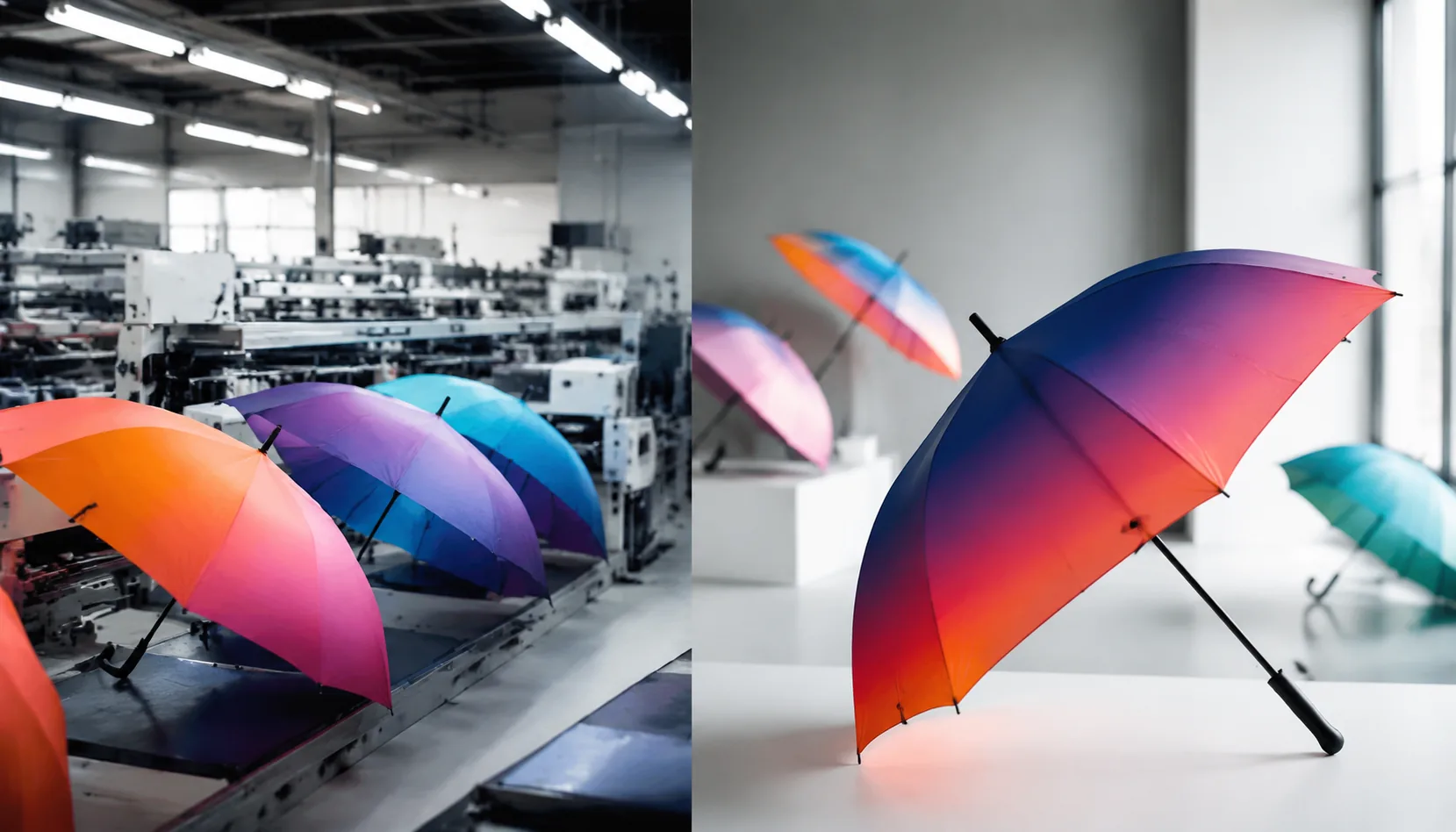
Gradient umbrella printing can make a campaign look premium, but it also exposes every weak point in artwork setup, fabric selection, panel alignment, and ink control. On our Songxia production floor, the problems usually start before the press runs: low-resolution fades, seams cutting through color transitions, or samples approved under the wrong lighting. Getting these details right early keeps bulk production consistent and prevents a branded order from turning into a costly remake.
When Gradients Work on Branded Umbrellas
Gradient umbrella printing works best when the umbrella is treated as a moving campaign surface, not a business card. I like it for event campaigns, sports launches, travel retail drops, beverage promotions, and seasonal collections where the color story matters more than dense copy. A 23" or 27" straight umbrella with 8K fiberglass ribs gives enough canopy area for a sunset fade, team-color transition, or city-skyline background without looking cramped. For compact 21" auto-open-close umbrellas, gradients still work, but the artwork needs larger color zones because each panel is narrower and the seams interrupt the visual flow. On 190T or 210T pongee, digital print umbrellas can carry soft transitions better than screen printing, especially when the artwork includes smoke, ocean, sky, neon, or heat-map effects.
The biggest mistake I see is asking umbrella artwork gradients to do two opposite jobs: create atmosphere and carry small information. Gradients are excellent for branded campaign umbrellas when the viewer needs to recognize the mood from 5 to 20 feet away. They are weak when a 6 mm legal line, QR code, or thin sponsor logo sits on a low-contrast color blend. Fine logos, small text, and registration marks still need solid contrast: white on navy, black on yellow, or a dedicated flat badge area printed over the gradient. For retail programs, we often reserve one or two panels for clean brand assets while letting the remaining panels carry the gradient artwork. That keeps the campaign visual strong without sacrificing readability during AQL 2.5 inspection or customer use in real rain.
For custom promotional umbrellas, the print method should be chosen before the designer finishes the file. Heat transfer can handle rich gradients on smaller runs, while full digital panel printing is better for complex all-over artwork and short seasonal SKUs. Sublimation gives clean color movement on polyester, but it is not a magic fix for poor contrast or muddy CMYK files. Our standard practice at ZheBrella is to request vector logos, 300 dpi raster backgrounds at final panel size, and a physical strike-off before bulk cutting, because gradients can shift after coating, drying, and sewing. If the campaign also needs UPF 50+, Teflon water repellency, or a double-canopy vented windproof frame rated around 50+ mph, those specifications should be locked before sampling. Material, coating, rib count, and print process all affect how the final gradient reads outdoors.
Artwork Requirements for Smooth Color Transitions
Smooth gradient umbrella printing starts with separating what should stay sharp from what can remain tonal. Logos, taglines, QR codes, sponsor marks, and event dates should be supplied as vector files, preferably AI, EPS, or PDF with fonts outlined and colors clearly assigned. Raster gradient backgrounds, photo textures, skies, smoke effects, or soft brand washes should be built at real print size, not pulled from a web banner. For most 23" and 27" custom promotional umbrellas, I want raster artwork at 150–300 dpi at final panel scale; below that, banding and pixel stair-steps become visible after the fabric is stretched over the ribs. For digital print umbrellas on 190T or 210T pongee, RGB artwork can give a wider working range during design, but final production should be checked against the printer profile and fabric strike-off because wet ink, heat fixation, and water-repellent finishing all shift color slightly.
Use the correct panel template before judging any umbrella artwork gradients. A round layout on screen is not the same as eight separate gores sewn into a canopy. Each panel needs the right arc, grain direction, center point, rib line, and cut line for the selected frame, whether it is an 8K folding umbrella, a 10K golf umbrella, or a 16K fashion canopy. Our standard practice at ZheBrella is to require 10–15 mm bleed beyond the cut line and a seam allowance of about 6–8 mm depending on fabric and sewing method. Keep key logos at least 20–25 mm inside stitch lines, more on curved golf panels where tension can pull artwork toward the rib. If the campaign uses alternating branded campaign umbrellas with different panel graphics, every version should be nested on its own approved template, not copied from a previous size.
Do not place critical gradient shifts across rib seams unless a reviewed mockup proves the transition works. A sunset moving from orange to violet may look perfect as one circular render, but once the canopy is cut, each panel is sewn with slight overlap, thread compression, and rib tension; even a 2–3 mm mismatch can create a hard visual jump. This matters most when gradient umbrella printing is used for large campaign graphics, product launches, sports events, or retail windows where umbrellas are photographed in rows. If a gradient must continue across seams, ask the factory for a panel-by-panel digital mockup and, for orders above the MOQ, a printed strike-off or pre-production sample before mass cutting. For safer production, put the strongest color transition inside each panel, keep seams in flatter tonal areas, and reserve the crown and tips for less color-sensitive artwork. That approach reduces rejects under AQL 2.5 inspection and keeps the branded layout consistent from sample to bulk shipment.
Digital Printing Versus Screen Printing
Digital printing is the safer choice for gradient umbrella printing because the artwork is built from continuous CMYK or expanded-gamut ink layers instead of separate spot-color screens. When a buyer sends photo backgrounds, smoke effects, sunset fades, or umbrella artwork gradients that move from navy to cyan across eight panels, screen printing has to simulate that fade with halftone dots. On curved umbrella panels, those dots can look grainy, and registration drift of even 1 mm becomes visible at the seam. Digital print umbrellas also handle panel-to-panel matching better when the design crosses ribs, especially on 23" and 27" golf umbrellas where the visual field is large. For branded campaign umbrellas with event photography or full-panel lifestyle graphics, I would not quote screen print unless the buyer accepts a simplified, posterized version of the file.
Screen printing is still the better production method for solid spot colors, heavy logo marks, and simple campaign graphics where opacity matters more than tonal range. A white logo on black 190T pongee, a PMS 186C red slogan, or a one-color sponsor layout on custom promotional umbrellas will usually print cleaner, cheaper, and faster by screen. The ink sits with stronger body on the fabric, so edges stay crisp after sewing and handling. Digital ink penetrates more into 190T pongee because the weave is slightly more open and lighter than 210T; that can soften fine type and reduce saturation. On 210T pongee, the tighter weave gives smoother gradients and better perceived sharpness, but it also needs proper pretreatment and drying control so ink does not pool or create a slight surface sheen.
The point buyers often miss is that color is not final when it leaves the printer. Umbrella fabric normally receives water-repellent finishing, and Teflon-type or standard WR coatings can shift color by a small but visible amount, especially in pale blues, warm grays, skin tones, and soft gradient transitions. Our standard practice at ZheBrella is to approve color on finished canopy fabric, not on raw printed swatches, because ink penetration, heat curing, lamination behavior, and coating chemistry all change the final read. For gradient umbrella printing, I recommend a strike-off on the exact 190T or 210T pongee specified for bulk production, then checking it under D65 light and outdoor daylight. If the order is urgent and skips strike-off approval, build tolerance into the brand review: digital gradients can be attractive and consistent, but they are not the same as printing on coated paper.
Panel Count, Rib Structure, and Visual Continuity
Panel count decides where the artwork is physically cut, so it matters before anyone talks about ink. An 8K umbrella gives you eight larger triangular panels, which is usually easier for bold logos, campaign slogans, mascot graphics, and broad color fades because there are fewer seam breaks. A 16K umbrella cuts the same canopy circle into sixteen narrower panels, so the curve looks smoother when opened, but every gradient, skyline, or wraparound message has twice as many seam alignment points. For gradient umbrella printing, we normally ask for vector artwork plus a flattened full-canopy reference, then add 10–15 mm bleed per panel and mark the top notch direction. If the buyer wants a continuous rainbow, political campaign wave, or retail brand pattern, the factory must nest and sew panels in a controlled order; random panel bundling will destroy visual continuity even if the print itself is sharp.
Rib material changes the product position more than the print result. Steel ribs are cost-effective and give custom promotional umbrellas a heavier, traditional feel, which works for budget event giveaways, insurance campaigns, and one-day outdoor activations. Fiberglass ribs cost more but flex better in gusts, especially on 23 inch and 27 inch stick umbrellas, so they fit premium branded campaign umbrellas or retail programs where return complaints matter. The canopy fabric still carries the ink: 190T or 210T pongee handles screen print, heat transfer, and digital print umbrellas differently depending on color depth and order volume. A black steel 8K frame with spot logos can look perfectly acceptable for a low MOQ promotion, while a 16K fiberglass frame with full-panel artwork gradients needs tighter sewing control because the customer is paying for both wind performance and visual polish.
Double-canopy windproof construction is where many artwork plans fail on the first sample. The outer canopy is split above the vent line, and the inner vent panels sit underneath to release air; that improves wind resistance, often surviving 50+ mph in lab-style tests when paired with fiberglass ribs, but it can interrupt a continuous graphic around the crown. If the artwork depends on an unbroken photographic skyline or circular gradient, the vent overlap may hide 20–40 mm of the design and create a shadow line. Our standard practice at ZheBrella is to separate the outer and inner canopy templates and show the buyer a seam-and-vent proof before bulk printing. For digital gradients, I prefer keeping critical logos below the vent break and using the inner panels for solid color, secondary branding, or a repeated pattern rather than forcing perfect continuity where the structure does not allow it.
Approval Process for Bulk Gradient Orders
Bulk gradient umbrella printing should never move from artwork to production on a PDF alone. We start with a digital proof that shows the gradient direction on each canopy panel, logo placement after seam allowance, Pantone or CMYK targets, and the expected join line at the panel seams. For digital print umbrellas, gradients are usually built in CMYK, but rich blacks, neon tones, and very soft fades need extra attention because pongee 190T/210T absorbs ink differently than coated paper. A buyer should approve both the flat panel layout and a 3D umbrella mockup, especially for branded campaign umbrellas where the graphic must read correctly from 3 to 5 meters away. Our standard practice at ZheBrella is to flag gradients crossing two or more seams before sampling, because that is where artwork gradients most often fail in real production.
One-piece sample approval is the control point that saves money. For a straight digital print sample on 190T pongee, realistic timing is 5 to 7 days after final artwork; sublimation samples can take 7 to 10 days if we need color calibration. If the umbrella uses a special frame, such as 23 inch auto-open, 27 inch golf, fiberglass ribs, or double-canopy windproof construction, add 2 to 4 days for assembly scheduling. MOQ for custom promotional umbrellas with full-panel gradients is usually 300 to 500 pieces per design for digital print, while offset screen work may require 1,000 pieces because setup cost is higher. Quote requests should specify FOB Ningbo or Shanghai versus DDP destination, because duties, carton volume, and courier sample charges affect the landed cost more than many buyers expect.
For production inspection, gradient orders need print checks inside the normal AQL 2.5 framework, not just a quick open-and-close test. Inspectors should check color drift, visible banding, ink specks, panel-to-panel direction, logo sharpness, and seam mismatch under consistent light. A practical tolerance is 2 to 3 mm seam mismatch on repeated graphics and slight tonal variation within one commercial shade, but hard banding, reversed panel direction, or a broken logo crossing a seam should be treated as a major defect. After sample approval, production lead time is typically 20 to 30 days for 500 to 3,000 pieces, longer during March to June peak season. For gradient umbrella printing tied to a launch date, approve the sample before booking freight; sea shipment can add 25 to 40 days, while air or express DDP may cut transit to 5 to 10 days at a much higher unit cost.
Frequently Asked Questions
Can a gradient run continuously across all umbrella panels?
It can be designed that way, but every rib seam creates a visual break. A production template and physical sample are needed to confirm alignment before bulk orders.
Are gradients suitable for folding umbrellas?
Yes, but folding canopies have more creases and smaller visible areas than golf umbrellas. Keep the main logo on one or two key panels and use the gradient as background support.
What artwork file format is best for gradient umbrella printing?
For gradient umbrella printing, provide vector logos with AI, EPS, or PDF files and place gradient artwork as high-resolution raster images at 300 dpi at actual print size. Each umbrella panel should include bleed, seam allowance, and a clear layout showing gradient direction across panels.
Can gradients match exactly across umbrella panel seams?
Exact matching is difficult because each canopy panel is cut and sewn separately, but careful panel mapping can keep visual shifts within an acceptable tolerance. For campaign production, approve a pre-production sample before bulk manufacturing.
What MOQ and lead time should buyers expect for digital print umbrellas?
Digital print umbrellas typically start around 500 pieces per design, depending on fabric, frame, and packaging requirements. Sampling usually takes 7–10 days, with bulk production commonly taking 25–40 days after sample and artwork approval.
Looking to Launch Your Custom Umbrella Line?
ZheBrella is a Zhejiang-based OEM/ODM umbrella manufacturer with 17 years of export experience. Free design, low MOQ from 100 pieces, windproof construction, full-color print.
Get Free Quote Now »People Also Search For
Related Articles
Photo-Quality Umbrella Printing for Campaign Artwork
Plan full-color campaign umbrellas with realistic photo detail, file specs, fabric choices, sampling steps, and lead tim...
Read More »
Gradient Umbrella Printing for Branded Color Campaigns
Learn how to specify gradient umbrella prints with realistic color transitions, fabric choices, sampling steps, and prod...
Read More »
Gradient Canopy Printing for Branded Umbrella Campaigns
Plan gradient umbrella canopies with realistic color transitions, panel alignment, fabric choices, sampling steps, and Q...
Read More »