Gradient Umbrella Printing for Branded Color Campaigns
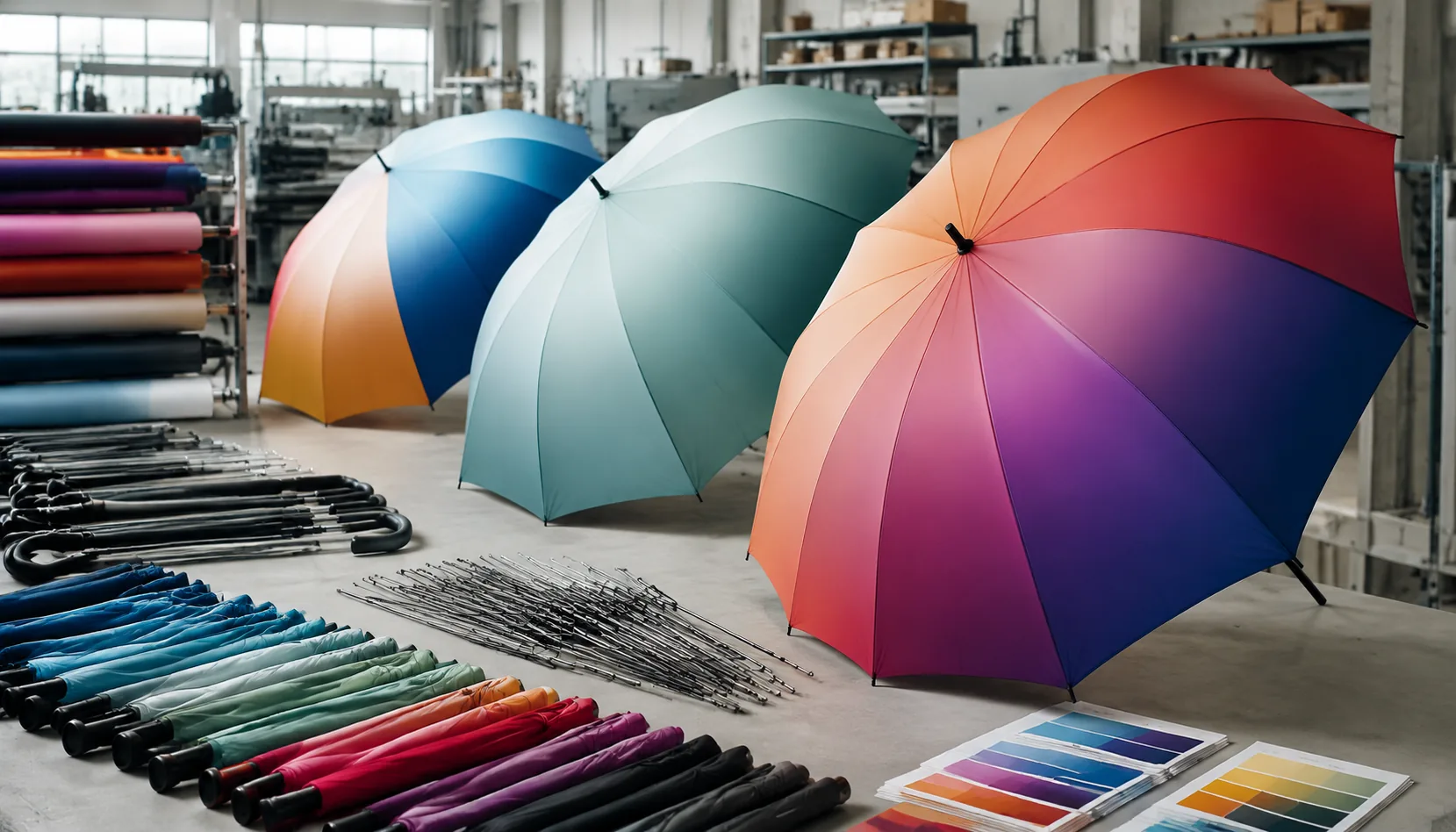
Buying gradient printed umbrellas is harder than approving a flat logo, because the color shift has to look smooth on curved panels, hold up under tension, and still match your brand palette across different fabric bases and dye lots. On our factory floor in Songxia, we usually start by checking artwork resolution, print gain, seam placement, and sampling tolerances, then adjust the build so the finished canopy reproduces the transition cleanly in production rather than only on a screen.
When Gradient Umbrella Printing Supports Branding
Gradient work makes sense when the color transition is part of the campaign language, not just decoration. For product launches, I like a two-color fade that follows the brand system: navy to cyan for tech, lime to yellow for energy drinks, blush to burgundy for cosmetics, or black to team red for sports clubs. On a 23" or 27" canopy, the gradient is visible from 20-30 feet away, which matters at festivals, stadium entrances, retail displays, and beverage sampling events. Branded color campaign umbrellas usually perform better when the logo sits in a clean zone, either on one panel or across two panels, rather than floating over the busiest part of the fade. For digital print umbrellas, 190T or 210T pongee gives a smoother color transition than cheaper polyester, and sublimation is normally cleaner than screen printing when the gradient runs panel-to-panel.
The safer volume choice is usually a subtle two-color fade, because every umbrella canopy is built from separate cut panels that must be printed, cut, sewn, and aligned. Complex photographic gradients with clouds, smoke, metallic effects, or tiny color bands can look good in a rendering but fail in mass production when the seams interrupt the image or when fabric tension shifts the curve after sewing. Umbrella gradient printing also exposes color-control problems faster than solid logos: a 5% change in cyan or magenta can create a visible band across eight panels. For 5,000-20,000 pieces, I would rather approve a controlled fade with Pantone-referenced endpoints and a printed strike-off than chase a photo-real effect that increases rejects under AQL 2.5 inspection.
Custom canopy gradients are especially useful for lifestyle retail lines because they create shelf difference without adding hardware cost. A 21" auto-open-close compact with a sunset fade can sell as a fashion item, while a 30" golf umbrella with a deep-to-light team color fade works for hospitality, tournaments, and sideline use. The factory decision is practical: white fabric is preferred for sublimation, darker base fabrics limit color brightness, and Teflon or UV UPF 50+ coating should be tested after printing so the hand feel and water repellency stay consistent. At ZheBrella, our standard practice is to sample the gradient on the actual canopy fabric and rib size before confirming MOQ, because a fade that looks smooth on a flat A4 proof may look very different once stretched over an 8K or 10K frame.
Print Methods That Handle Gradients Best
Digital printing is the safest default for gradient printed umbrellas because it can lay down soft CMYK transitions without forcing the artwork into hard color separations. On 190T or 210T pongee, a good digital line can hold smooth sky-blue-to-navy, orange-to-red, or multi-stop campaign gradients across 8 panels with acceptable panel-to-panel matching, as long as the artwork is built with bleed and the cutting direction is controlled. I still ask buyers to avoid ultra-fine 1% shadow changes near panel seams; fabric tension, sewing allowance, and waterproof coating can make those tiny shifts look uneven after assembly. For branded color campaign umbrellas where the logo must sit over a fade, digital print umbrellas usually give the cleanest result when the logo is printed in a solid spot color or reinforced with a white underbase on darker gradients.
Sublimation is excellent when the canopy fabric is polyester and the buyer wants custom canopy gradients with deep saturation, especially on white pongee or polyester panels before sewing. The color becomes part of the fiber instead of sitting heavily on top, so the hand feel stays soft and the canopy folds better than thick ink deposits. It is not the right choice for every umbrella: POE, PVC, EVA, and many coated fabrics do not accept sublimation the same way, and dark base fabrics will kill brightness. In our factory checks, sublimated gradients need extra attention at heat-press temperature, dwell time, and panel shrinkage, because even a 2-3 mm distortion can make a circular gradient look slightly twisted after the 8K frame is assembled.
Screen printing still has a place, but I would not sell it as true umbrella gradient printing unless the fade is intentionally simple. It works for banded fades, two-color halftone transitions, or promotional designs where a navy-to-white fade can be simulated with dot screens, but it struggles with photographic softness and four- or five-color blends. The upside is cost control: for larger MOQ runs, screen print can be cheaper per unit once screens are made, and solid logo colors remain very crisp. A practical hybrid is to digitally print the full gradient background, then screen print the brand mark in a dense Pantone-matched ink on top. For gradient printed umbrellas ordered under tight lead times, that hybrid can reduce color complaints because the visual effect stays soft while the logo remains sharp enough for retail or event inspection under AQL 2.5.
File Setup and Panel Mapping Requirements
Good artwork starts with separating what must stay sharp from what can blend. Logos, icons, QR codes, and legal marks should be supplied as vector files, preferably AI, EPS, or editable PDF with Pantone or CMYK values called out. The gradient background should be a high-resolution raster layer at final canopy scale, not a tiny web image stretched across eight panels; for digital print umbrellas, we normally ask for 150 to 300 dpi at actual print size, depending on the artwork complexity and viewing distance. Writers should make clear that umbrella gradient printing is not the same as printing a flat poster. Each triangular canopy panel is cut, hemmed, sewn, and pulled over ribs, so a smooth left-to-right or center-out fade must be built with the finished 3D canopy in mind. Gradient printed umbrellas look clean only when the logo layer, gradient layer, and panel boundaries are checked together before sampling.
Panel mapping is where many branded color campaign umbrellas go wrong. A standard 8K umbrella has eight canopy panels, usually wider and easier to align for a broad radial fade, while a 16K layout has sixteen narrower panels with twice as many seams, more ribs, and more chances for visible color jumps. A 23" straight umbrella and a 27" golf umbrella also have different panel shapes, so the same gradient file cannot simply be scaled and approved without checking distortion. Each panel file should show cut line, print-safe area, seam allowance, top cap position, rib line, and direction of fabric grain. For pongee 190T or 210T, we typically keep critical logos at least 15 to 20 mm away from stitched seams and the bottom hem. Custom canopy gradients that cross seams need numbered panels and a clear assembly map so sewing workers do not rotate one panel and break the color flow.
A full canopy mockup is mandatory because the buyer approves the umbrella people will actually see, not the flat artwork sheet. On-screen panel layouts can hide problems: a gradient may look smooth in CMYK but turn muddy after heat transfer, sublimation, or digital ink absorption; a logo may sit straight on one panel but tilt visually once the canopy is tensioned over fiberglass or steel ribs. Our standard practice at ZheBrella is to review a full top-view canopy mockup, a side-view mockup, and a marked panel map before opening bulk production. For 8K promotional umbrellas, this often catches logo spacing and color banding issues. For 16K fashion or retail umbrellas, it is even more important because the extra rib alignment can either make the gradient look premium or make every seam obvious. Approval should include final size, rib count, print method, fabric, coating, and acceptable color tolerance before the sample is signed off.
Fabric, Color, and UV Coating Limits
Fabric choice sets the ceiling for smooth color before the printer even starts. For gradient printed umbrellas, 190T pongee is usually the safest commercial fabric because its yarn density is tight enough for clean transitions but not so heavy that ink sits wet on the surface. 210T pongee gives a slightly richer hand feel and better opacity, but it can also make dark-to-light fades look heavier if the ICC profile is not adjusted. Plain polyester is cheaper and acceptable for event giveaways, but the weave is usually less uniform, so soft custom canopy gradients may show banding or cloudy areas after heat setting. In our factory checks, we compare the printed panel before sewing and again after frame assembly because stretching over 8K or 10K ribs can expose weak saturation near the seam allowance.
Umbrella gradient printing is less forgiving than logo printing because the buyer notices every jump in tone. Sublimation works well on white polyester and pongee when the artwork uses wide tonal ramps, but it cannot print true white and struggles on pre-dyed fabric. Digital print umbrellas can hit more complex color builds, including campaign colors that fade across all panels, but ink load must be controlled so the canopy still folds cleanly and does not feel tacky. For branded color campaign umbrellas, we normally ask for Pantone targets plus a full-size strike-off, not just a small swatch, because a 23" or 27" canopy changes how the eye reads saturation across eight panels.
UPF 50+ coatings add another variable: they improve sun protection but can flatten gradients if the coating layer scatters light or blocks ink bonding. Silver, black, or PU-backed UV coatings are especially risky for dull-looking transitions, while clear UV treatments are easier but still need adhesion checks. Coated UV umbrellas should go through extra testing before bulk cutting: cross-hatch adhesion, wet rub, dry rub, fold endurance, and at least one water-repellency check after printing. I would not approve bulk production only from a screen photo or lab dip; a proper pre-production sample should be opened under daylight and indoor LED, then inspected under AQL 2.5 criteria for banding, pinholes, color shift, and coating peel.
Sampling, MOQ, and Quality Inspection
For gradient printed umbrellas, sampling is where the project is won or lost because a screen PDF does not show how color behaves on 190T or 210T pongee after coating, cutting, sewing, and tensioning on the frame. We normally start with lab dips for the base fabric and coating system, especially when the buyer needs UV UPF 50+, Teflon water repellency, or a very specific brand color such as Pantone 186C fading into navy. After that, a printed strike-off is mandatory for umbrella gradient printing; I want to see the transition width, dot smoothness, ink density, and whether the darkest area blocks light unevenly. A pre-production sample should use the actual rib count and size, whether it is a 21 inch folding auto-open-close, 23 inch straight manual, or 30 inch golf umbrella, because canopy curvature changes the perceived gradient. Flat fabric approval alone is not enough for custom canopy gradients.
MOQ depends heavily on print method and how much color control the buyer expects. Digital print umbrellas can start lower than traditional screen printing because there is no individual screen setup per color, but the factory still needs waste allowance for color calibration, panel orientation, and rejected first meters. For simple digital gradient work, a realistic MOQ is often 300 to 500 pieces per design; for tighter Pantone matching, double-canopy vented construction, or mixed 8K/10K/16K frame specifications, I would plan closer to 500 to 1,000 pieces so production can stabilize. Bulk lead time after sample approval is usually 25 to 35 days for standard pongee umbrellas, and 35 to 45 days if the project combines fiberglass ribs, custom handles, UV coating, and DDP packing requirements. FOB Ningbo or Shanghai is faster to organize than DDP because freight booking and destination customs can add 7 to 15 days.
Quality inspection for branded color campaign umbrellas must go beyond normal open-close and water-spray checks. Our standard practice at ZheBrella is AQL 2.5 for major defects, with specific checkpoints for banding in the gradient, color drift between early and late production rolls, panel-to-panel seam mismatch, ghosting, ink streaks, registration shift, and white pinholes near stitched edges. Inspectors should open the umbrella under daylight and a D65 light box because some blues, purples, and fluorescent tones shift badly under warehouse LED lamps. On a 23 inch 8K canopy, even a 3 mm mismatch at each seam can make the gradient look stepped instead of continuous, so cutting direction and panel numbering matter. I also check whether heat transfer or sublimation has changed fabric hand feel, caused rib-tip stress marks, or weakened water repellency after printing, because a beautiful gradient is still a failure if the canopy wets out after the first rain test.
Frequently Asked Questions
Can a gradient run continuously across all umbrella panels?
Yes, but it requires careful panel mapping and seam allowance. Minor shifts at seams are normal, especially on 8K and 16K umbrellas with curved panels.
Is digital printing always required for gradient umbrellas?
Digital printing is the most flexible option for smooth gradients. Simple two-tone bands may be produced by screen print, but color transitions will be less subtle.
What file format should buyers provide for gradient umbrella artwork?
Vector files such as AI, PDF, or EPS are preferred for logos, while gradient backgrounds should include high-resolution raster artwork at 300 dpi when possible. Include Pantone references or CMYK values for key brand colors so the factory can check the transition before sampling.
What is the typical MOQ for gradient printed umbrellas?
For digital or sublimation gradient printing, MOQ is usually lower than screen printing, often around 300 to 500 pieces per design. Larger orders may be recommended if the buyer needs strict unit cost targets or multiple canopy sizes.
How much color variation is normal in umbrella gradient production?
A small variation is normal because polyester fabric, coating, and heat transfer conditions affect color output. Buyers should approve a physical pre-production sample and allow a practical tolerance of about 5% to 10% between sample and bulk production.
Looking to Launch Your Custom Umbrella Line?
ZheBrella is a Zhejiang-based OEM/ODM umbrella manufacturer with 17 years of export experience. Free design, low MOQ from 100 pieces, windproof construction, full-color print.
Get Free Quote Now »People Also Search For
Related Articles
Gradient and Photographic Umbrella Prints for Brand Campaigns
Plan photo, gradient, and all-over digital umbrella prints with file specs, 190T/210T fabric choices, panel seams, lead ...
Read More »
Gradient and Photo-Print Umbrellas for Brand Campaigns
Specify gradient and photo-print umbrellas with realistic color control, fabric choices, sample approvals, and productio...
Read More »
Gradient Canopy Printing for Branded Umbrella Campaigns
Plan gradient umbrella canopies with realistic color transitions, panel alignment, fabric choices, sampling steps, and Q...
Read More »